Descale
Needed consumable: Descaling tablet
Caution
Please exit the shower area while the descaling is active. Once the descaling has started, water will start to pour out of the shower heads.
Note
Note that the descaling tablet is acidic. Repeated contact may affect the appearance of acid-sensitive floor materials, including some natural stones such as limestone or marble.
| Descale notification shown in the My Water app. | |
 | Descale notification shown in the Control Dial. The notification will stay on the screen until it has been dismissed (swipe downwards), or until the Status center has been opened. |

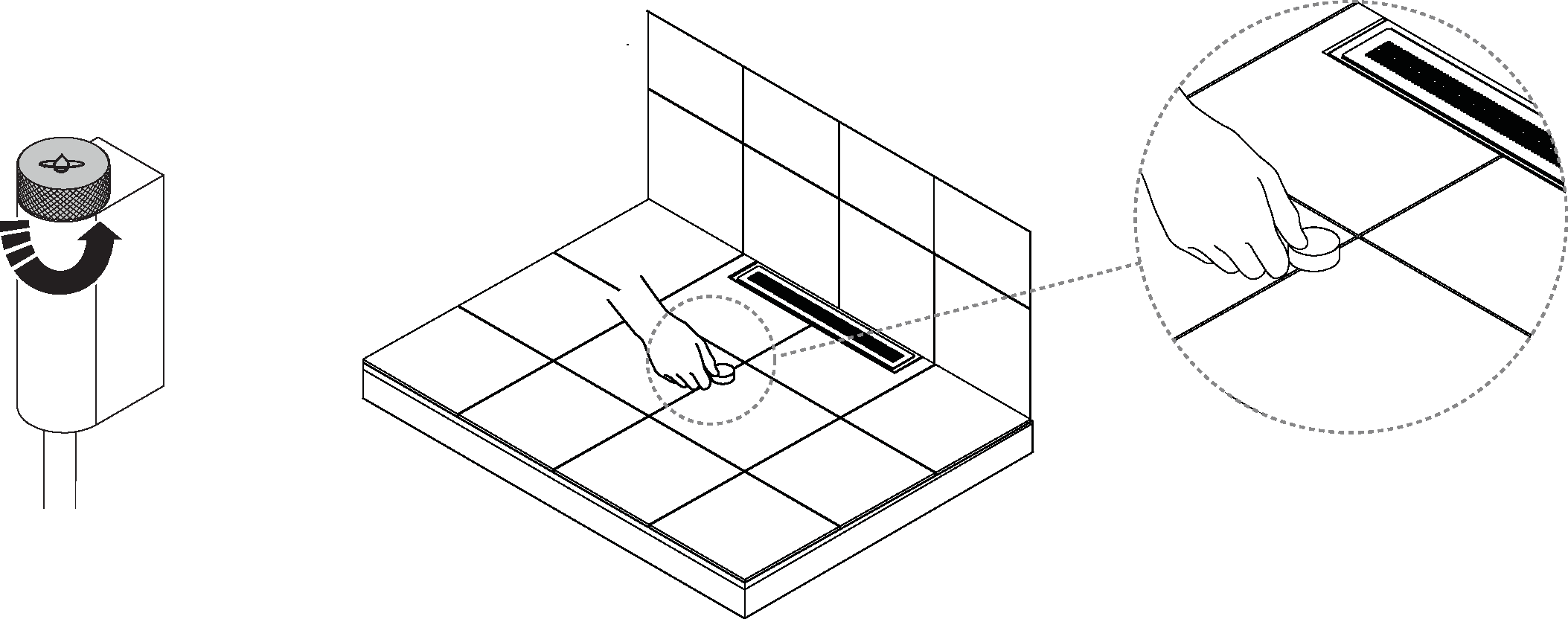
Turn the diverter to a position between the hand shower and shower head so that water pours out of both during the descaling. Place the Descaling tablet on the floor, directly in the stream of water, so it dissolves.
If you have a third-party diverter that can not be set to run water through the shower heads simultaneously, run a separate descaling for each shower head individually.
Open the Status center (see Status center for details), and navigate Settings → Maintenance → Descale to start the program.