Operating the shower
Tip: Does this look different from the interface on your Control Dial? You may have the Classic interface, see the Classic interface User Guide instead.
Main screens
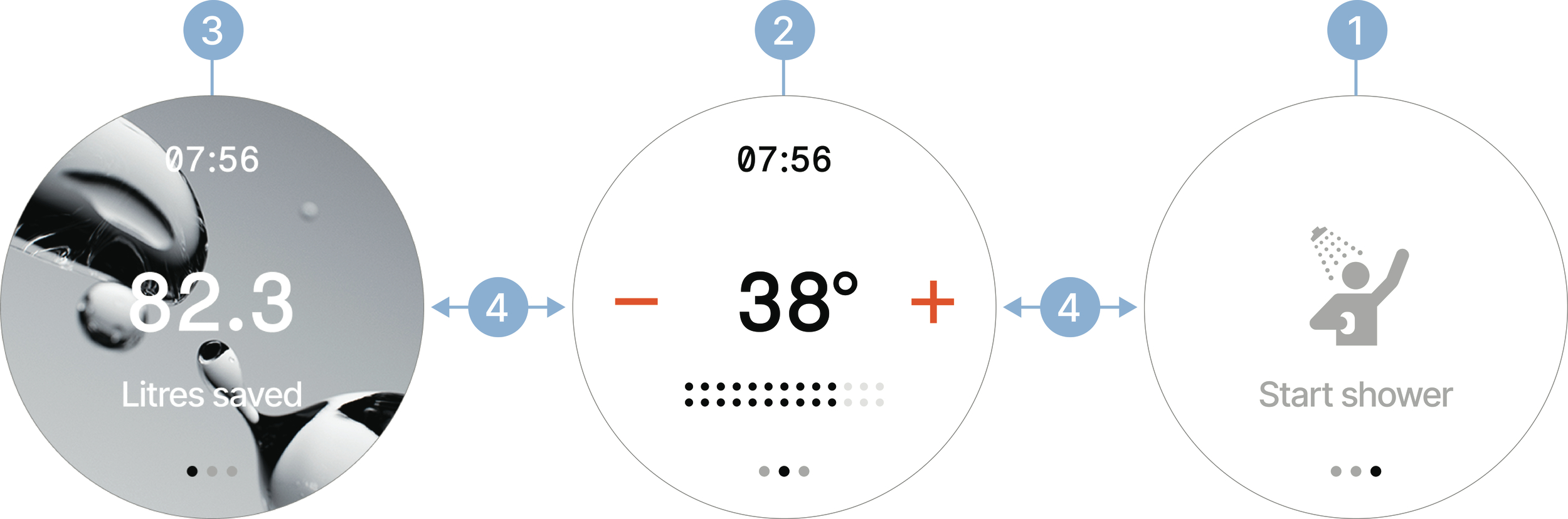
Start screen. Tap to start the shower. By default, there is a startup time of about 30 seconds before water starts running. The Start screen fades out once the shower is running.
Tip: Use Instant start to schedule times when water runs instantly, with no startup delay. Set it up in the My Water app (Shower settings).
Shower controls screen. See details below.
Savings screen. Slides in automatically as soon as the shower starts saving water.
Swipe left or right to switch between screens.
Shower controls
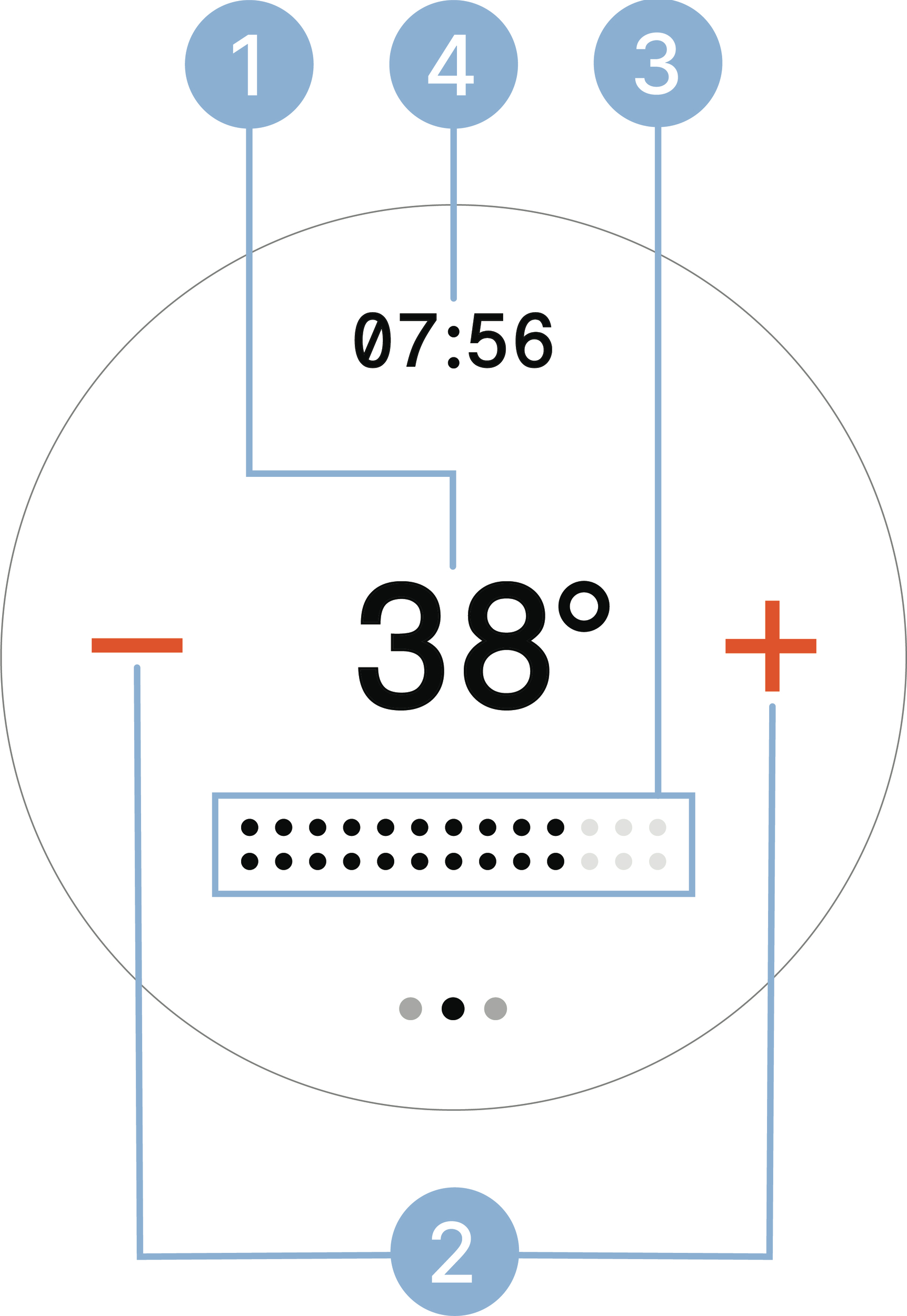 |
Tap the center to start and stop the shower. Long press to access the Asteroids game.
Tap to change the temperature one degree at a time. Long press to change it quickly.
Slide to control the water flow.
Tap to toggle between the clock (default) and the session timer. The clock requires an internet connection to be displayed. It can be disabled in My Water (Shower settings).
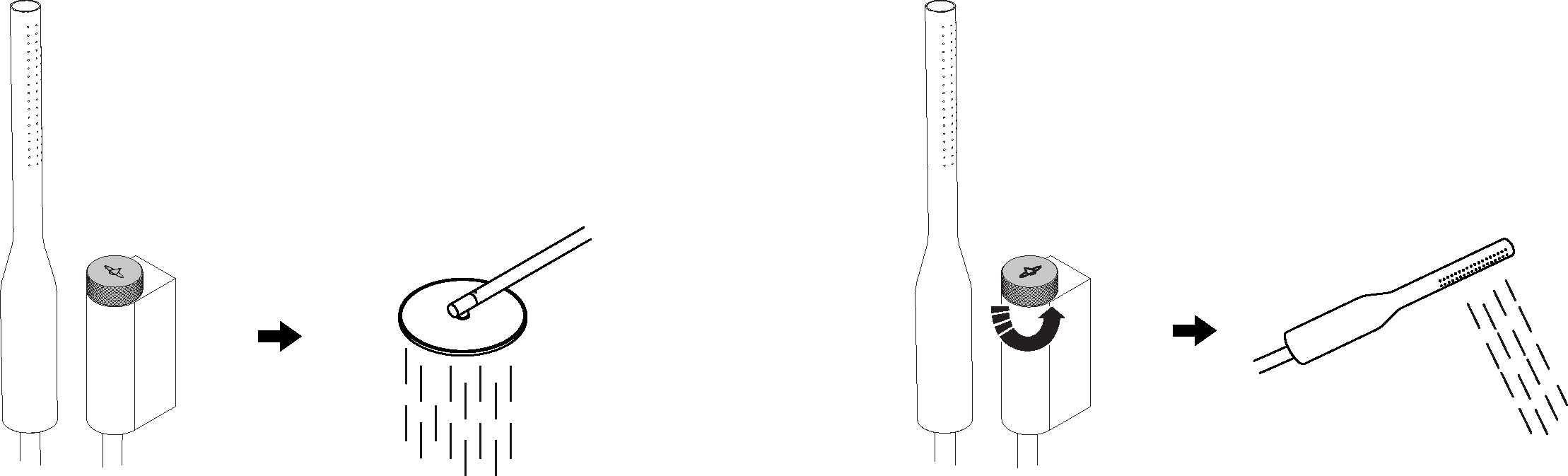
Turn the diverter to switch between the overhead shower and hand shower.