Filter
16a. Swap Filter - Panel
This instruction shows how to swap the Filter in a Panel installation. You find the Core and Filter in the shower area. Follow the instructions in detail, and don't hesitate to reach out if you have any questions - support@orbital-systems.com.
Use the kit below to swap the Filter.
Filter Capsule |
Swap Filter
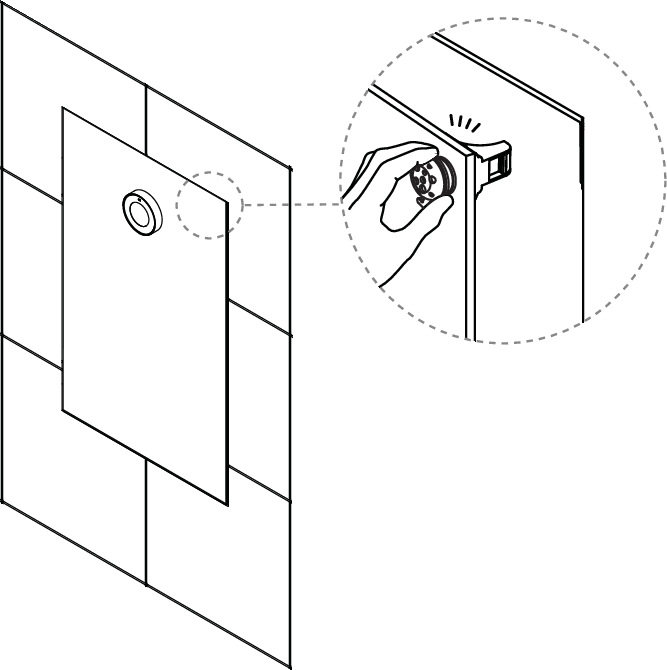
Open the Panel door.
Open the filter door and release the filter holder.
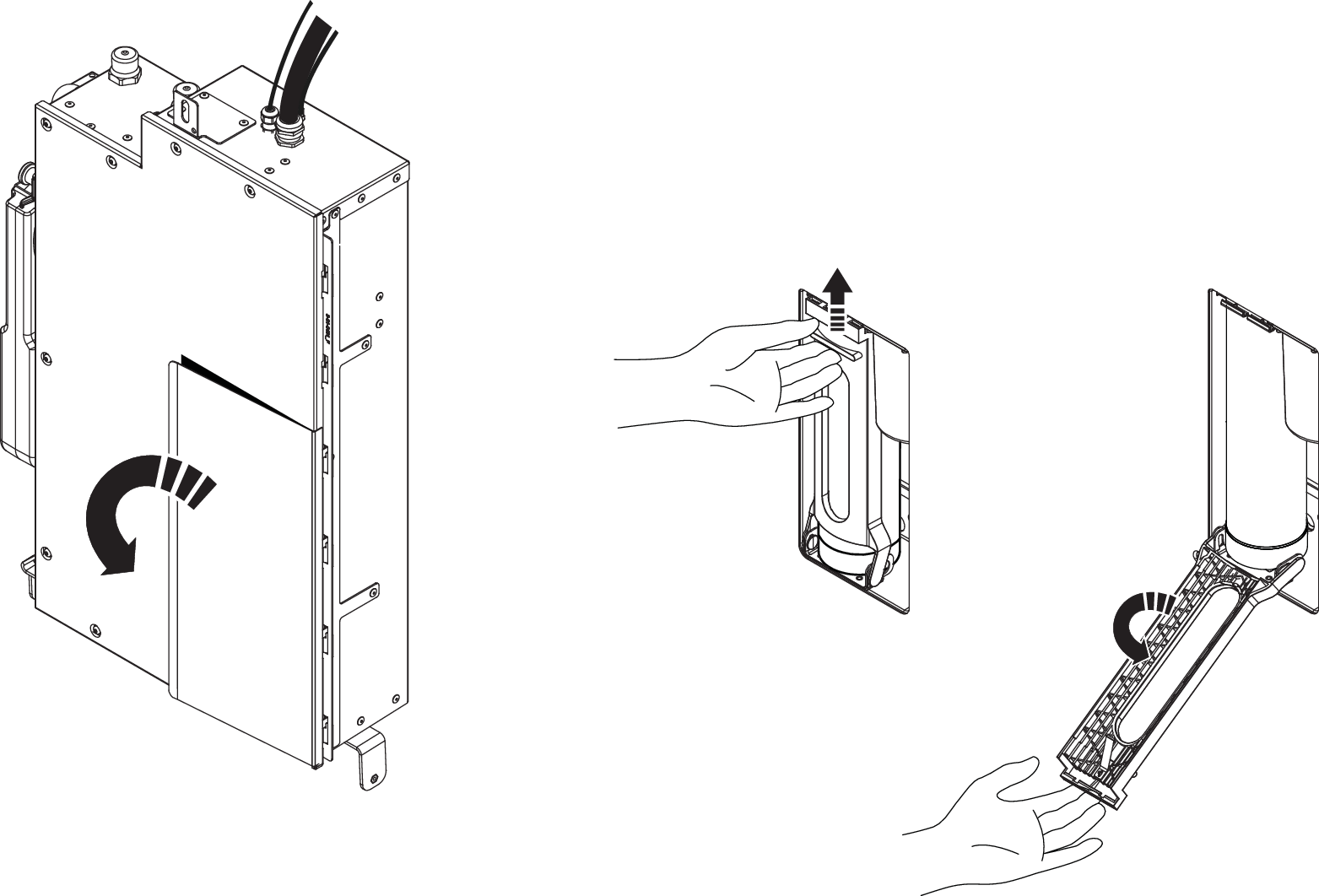
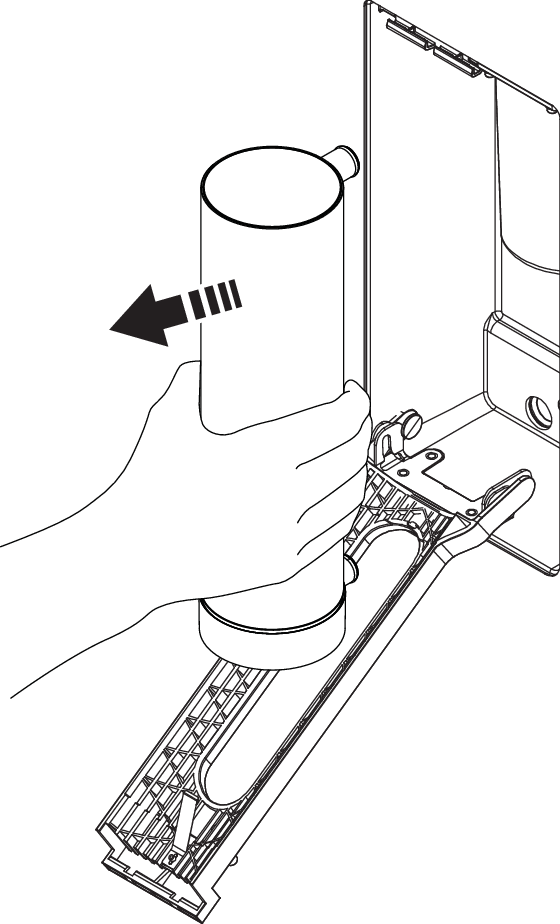
Remove the old Filter Capsule
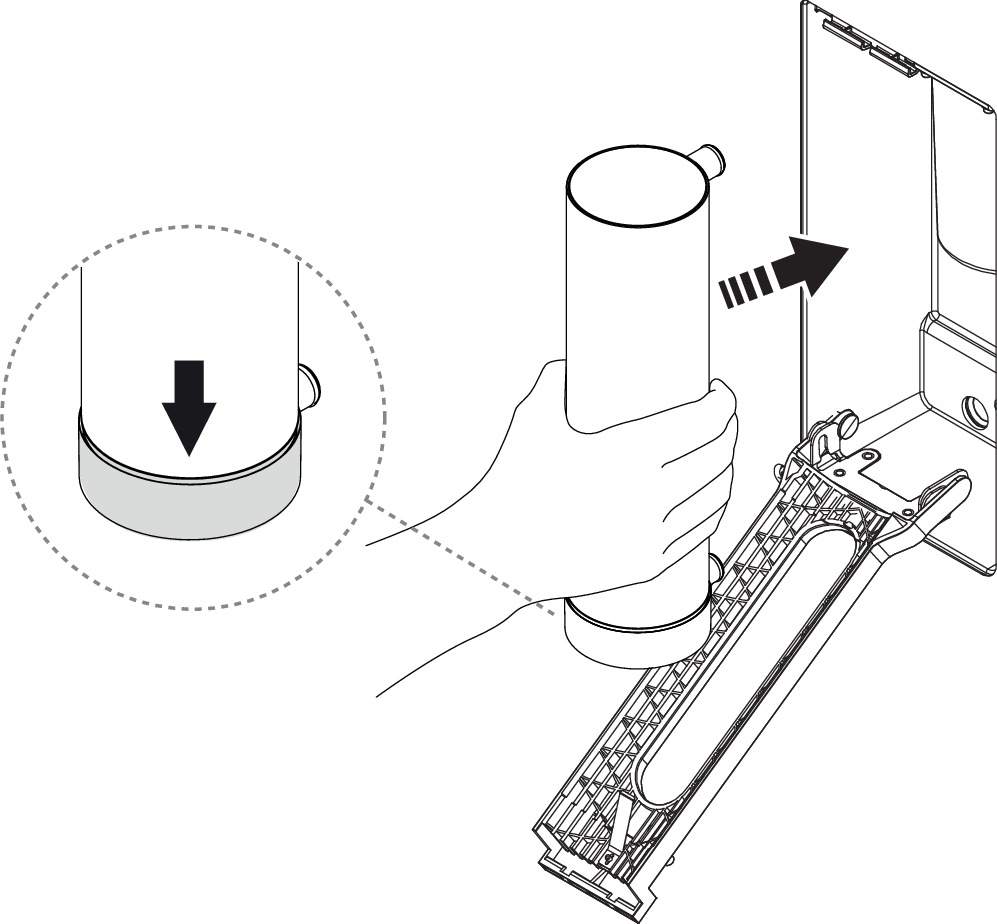
Insert the new Filter Capsule.
Caution
Ensure that the Filter Capsule is correctly inserted to avoid leakage. The plastic ring should be placed downwards.
Close the filter holder and filter hatch.
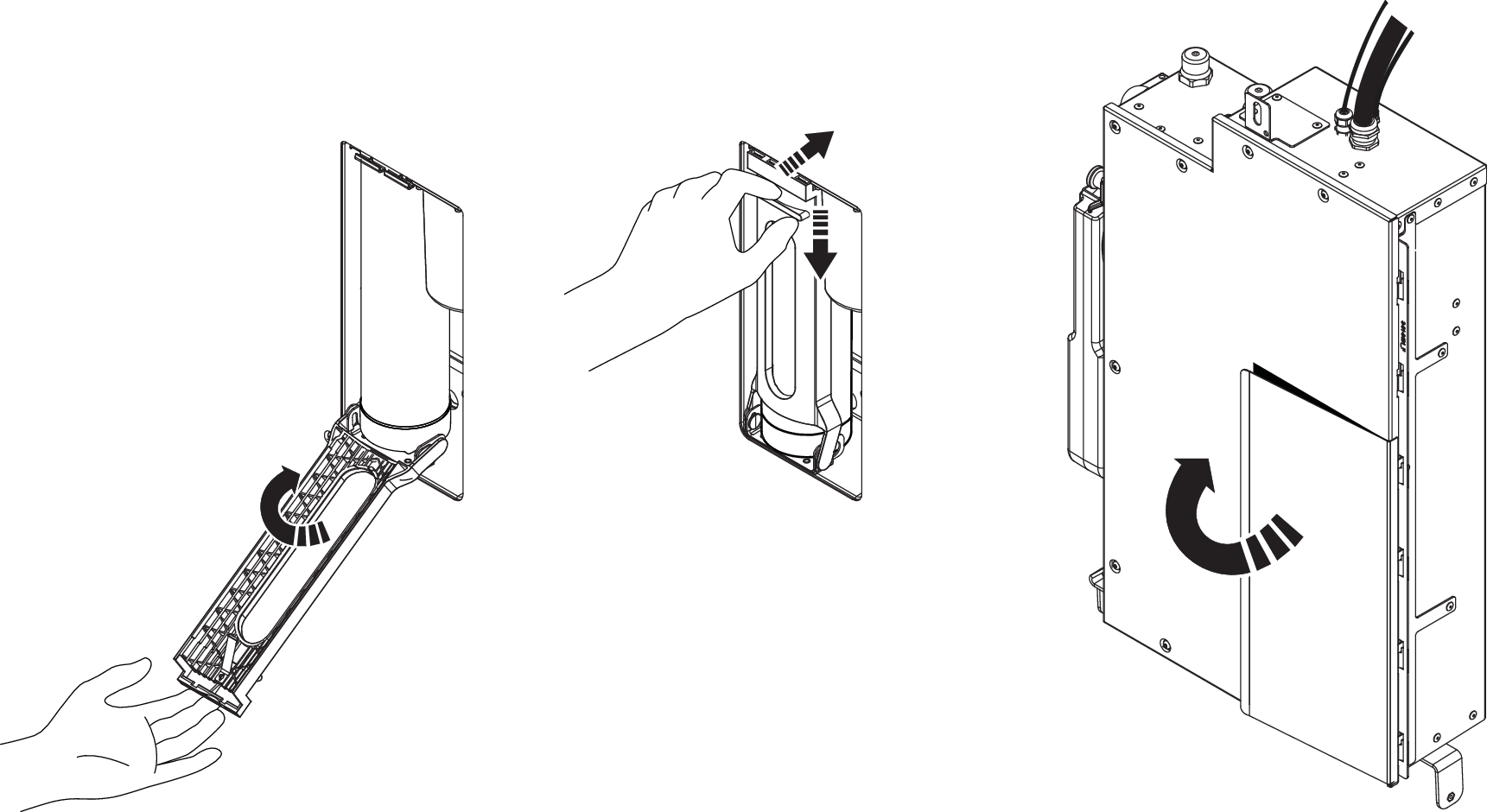
Close the door to the Wall Box.
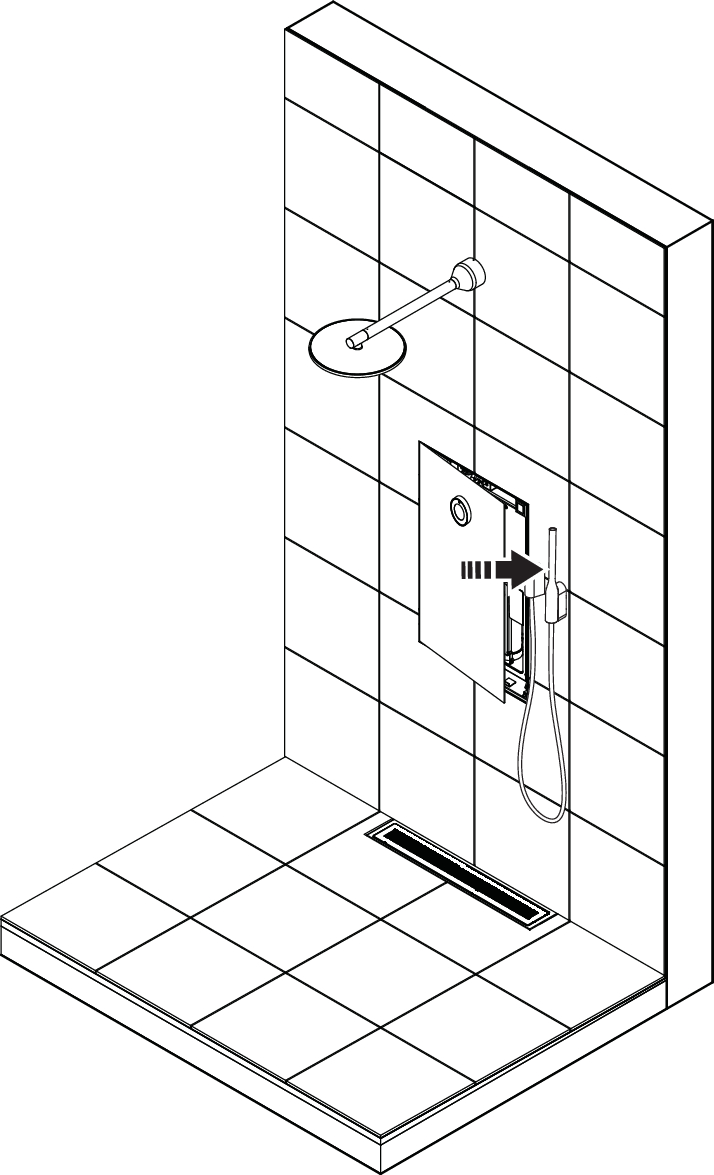
Recycle the replaced Filter.

16b. Swap Filter - Remote
This instruction shows how to swap the Filter in a remote installation (shower model Hatch, Cabinet or Basic). The Core is placed outside of the shower area. Follow the instructions in detail, and don't hesitate to reach out if you have any questions - support@orbital-systems.com.
Use the kit below to swap the Filter.
Filter Capsule |
Swap Filter
For installations with Cabinet or Hatch: Open the hatch and remove the splash guards. Put them aside.
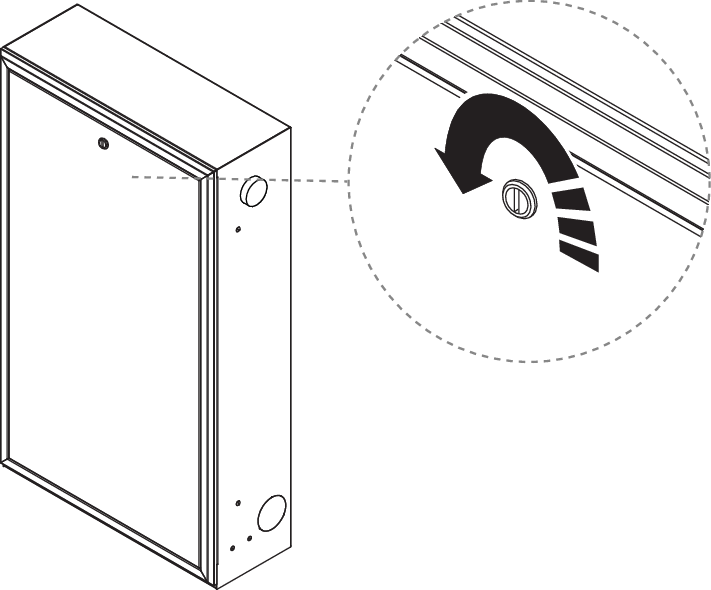
Open the filter door and release the filter holder.
Remove the Filter Capsule.
Insert a new Filter Capsule.
Caution
Ensure that the Filter Capsule is correctly inserted to avoid leakage. The plastic ring should be placed downwards.
Close the filter holder and the filter hatch.
When installing Hatch or Cabinet: Put back the splash guards and close the door to the Wall Box.
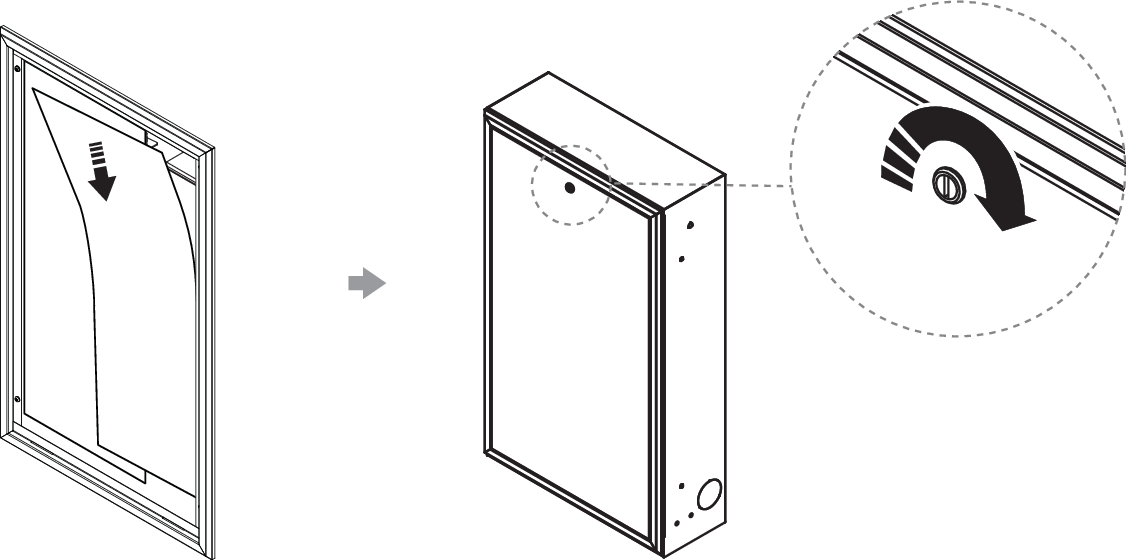
Recycle the replaced Filter.
17a. Swap Filter & UV - Panel
This instruction shows how to swap the Filter and UV kit in a Panel installation, where the Core is placed in the shower area. Follow the instructions in detail, and don't hesitate to reach out if you have any questions - support@orbital-systems.com.
Use the kit below to swap the Filter and UV-kit.
Filter Capsule |
UV lamp |
Quartz jacket kit |
Dismantle Filter & UV
Turn off the power.

Open the Panel door.
Open the filter door and release the filter holder.
Remove the old Filter Capsule
Unscrew the UV protection cover.
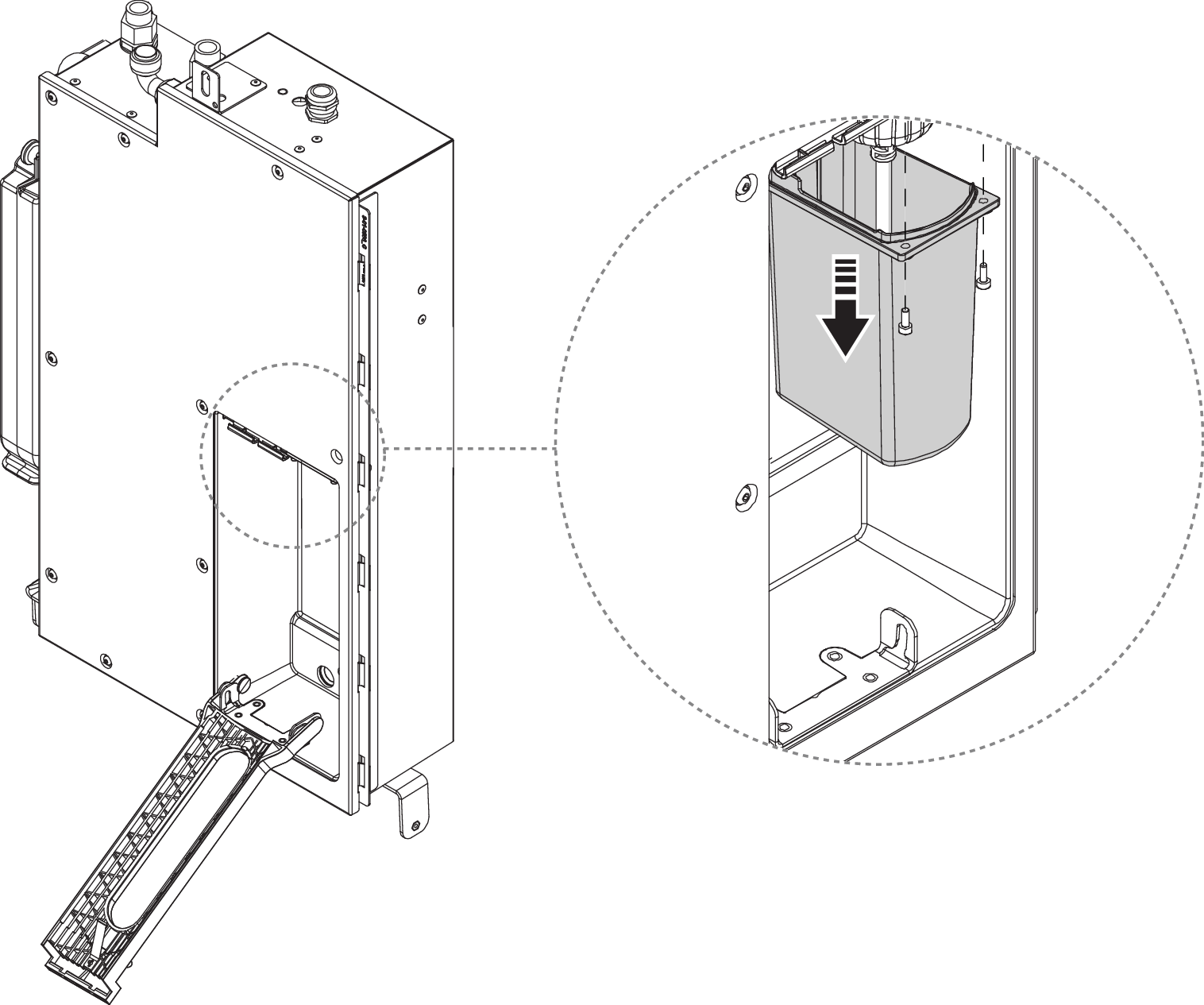
Turn the plug counterclockwise to release the UV lamp.
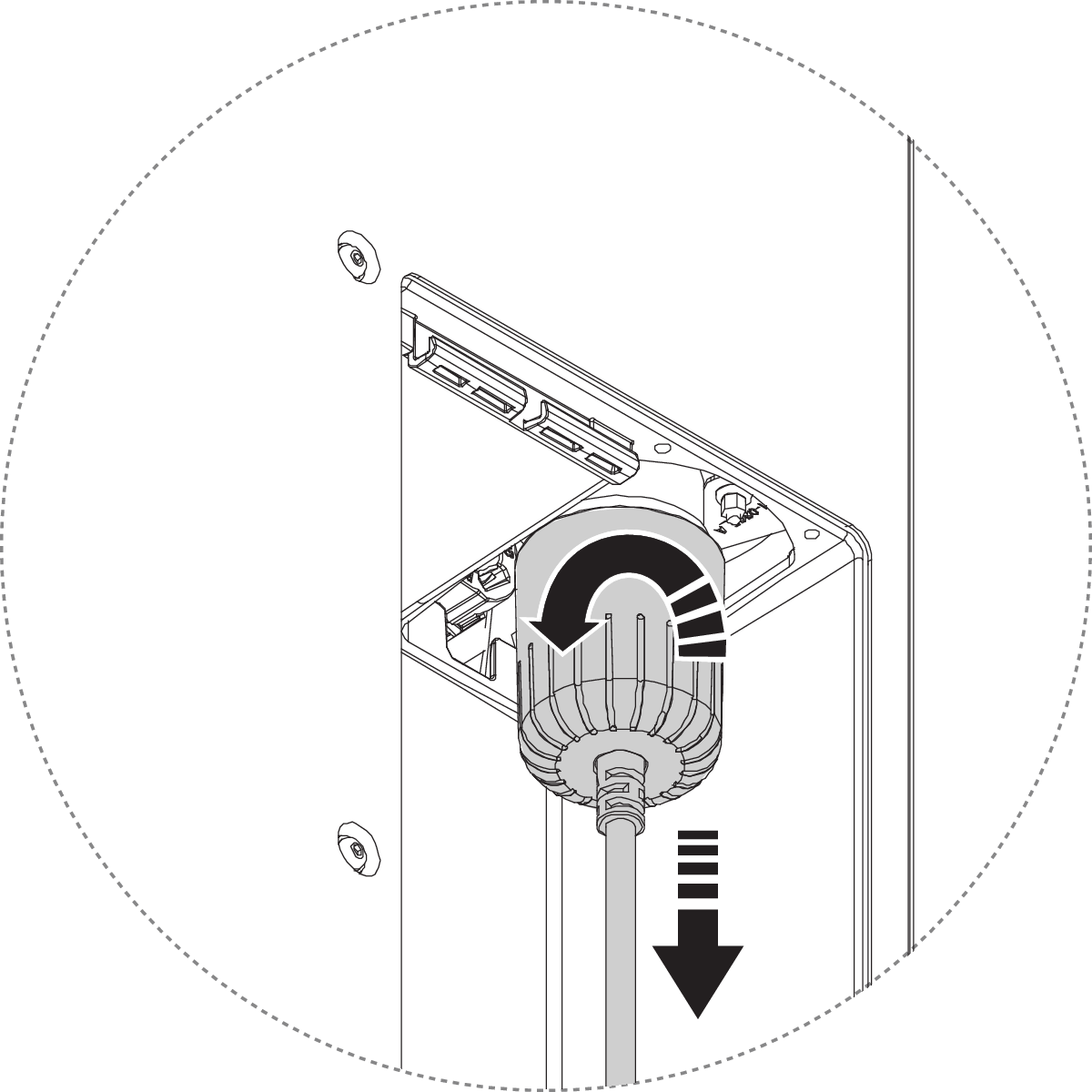
Disconnect the lamp and put it aside.
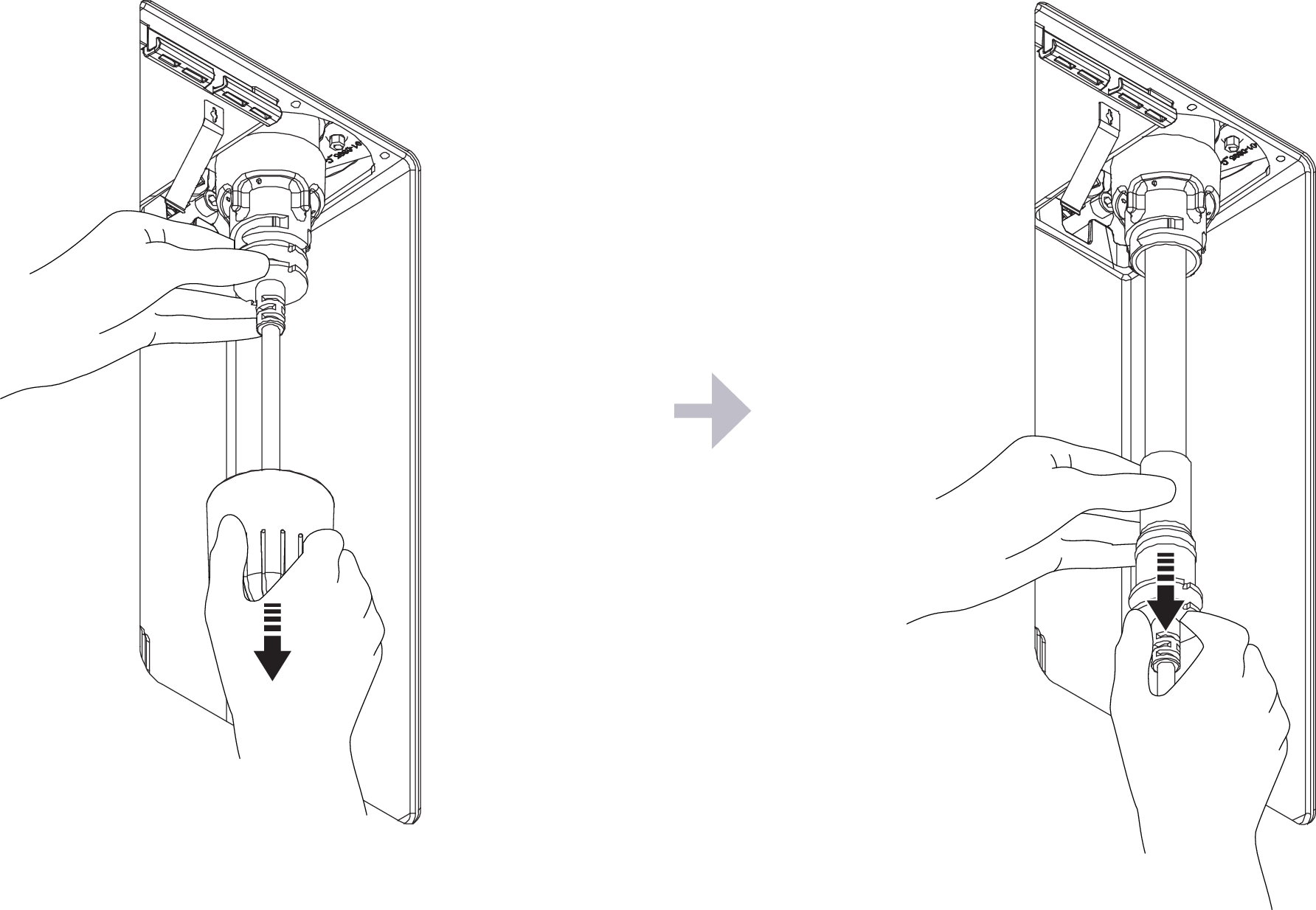
Turn the bayonet lock counterclockwise to release the quartz glass.
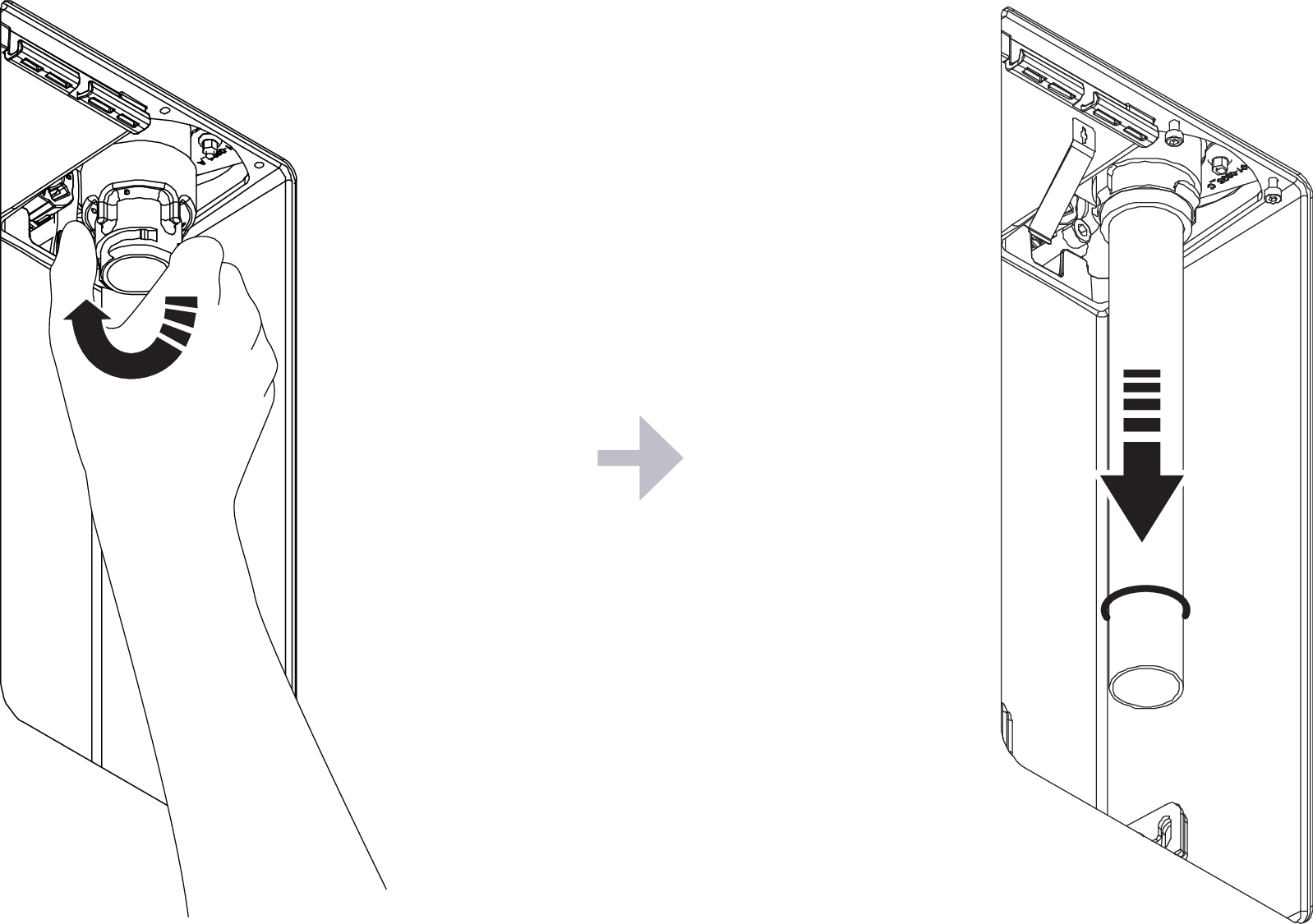
Install Filter & UV-kit
Change the quartz glass and tighten the bayonet lock.
Caution
Make sure the o-ring is undamaged and in good condition.
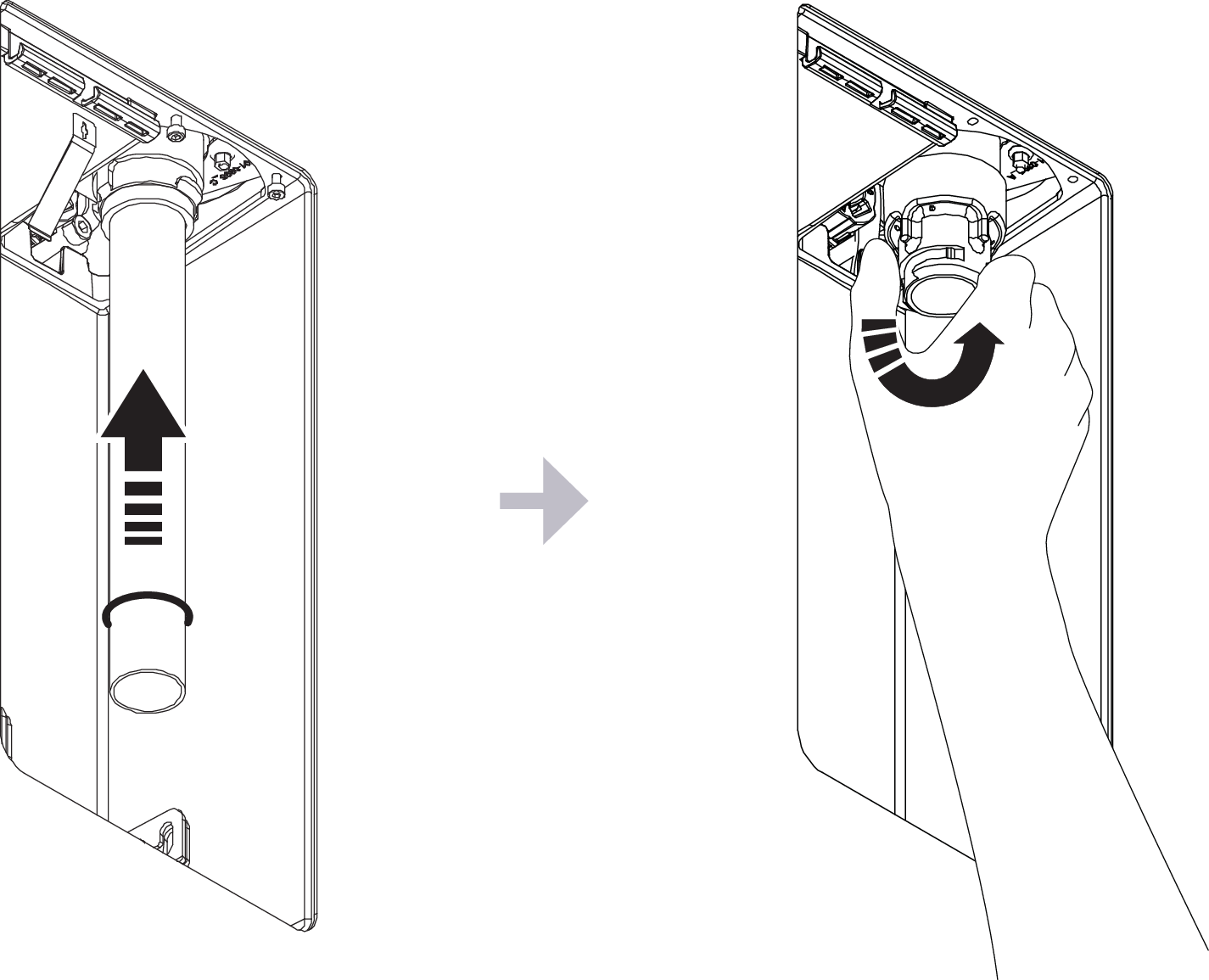
Connect the new UV lamp, turn the plug clockwise to lock.
Caution
Make sure that the lamp goes all the way into the socket.
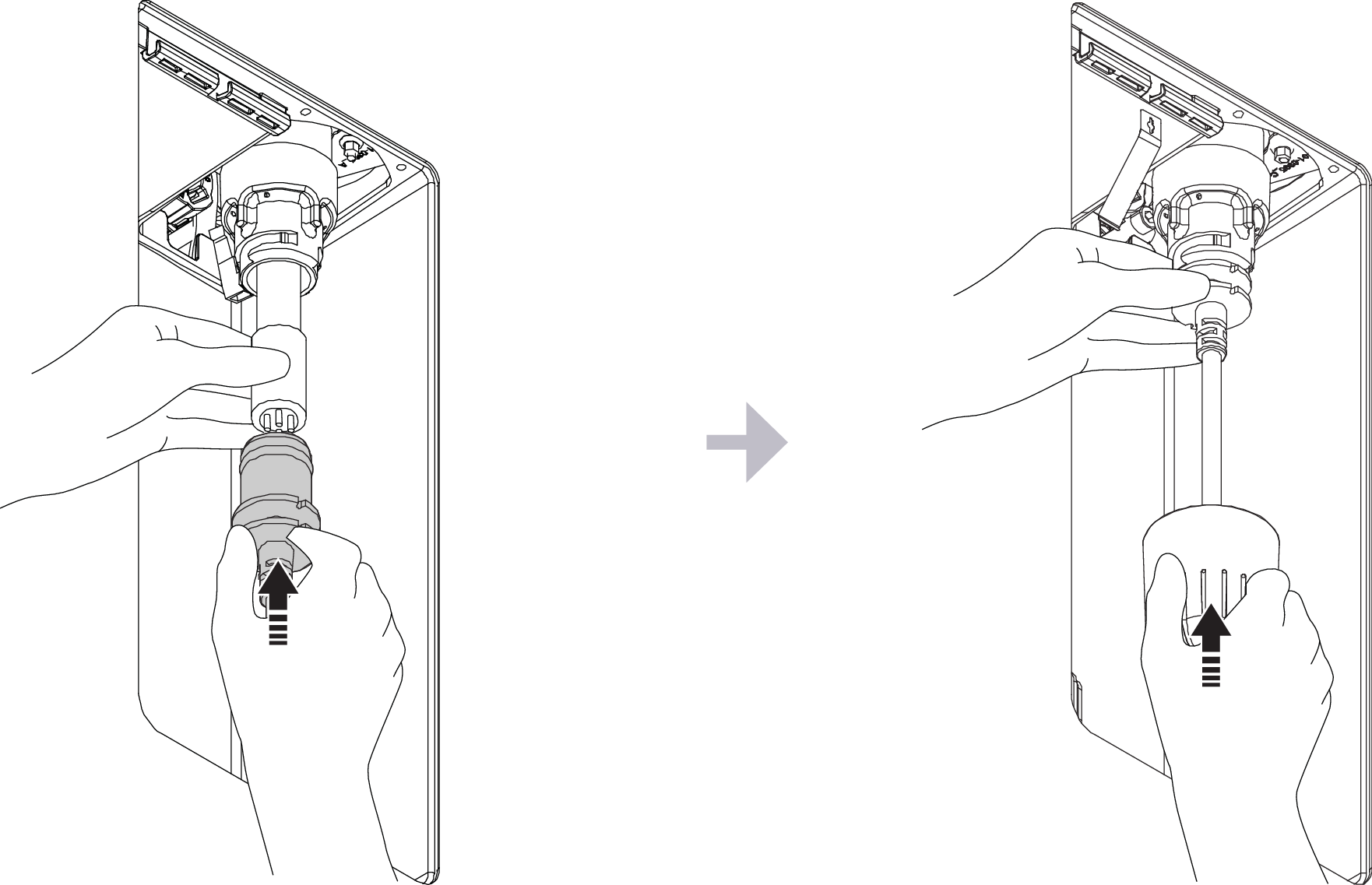
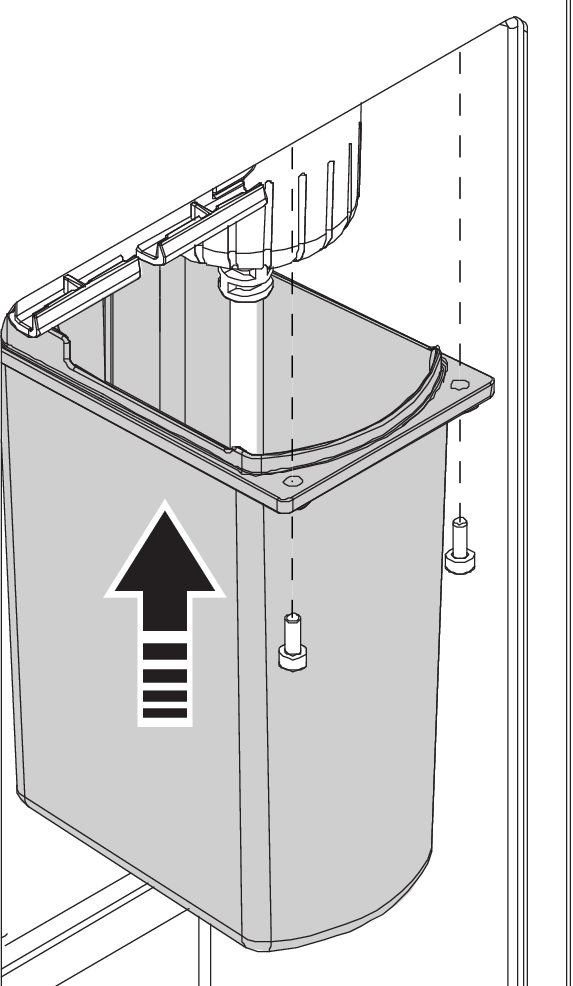
Reinstall the UV protection cover.
Insert a new Filter Capsule.
Caution
Ensure that the Filter Capsule is correctly inserted to avoid leakage.
Close the filter holder and the filter hatch.
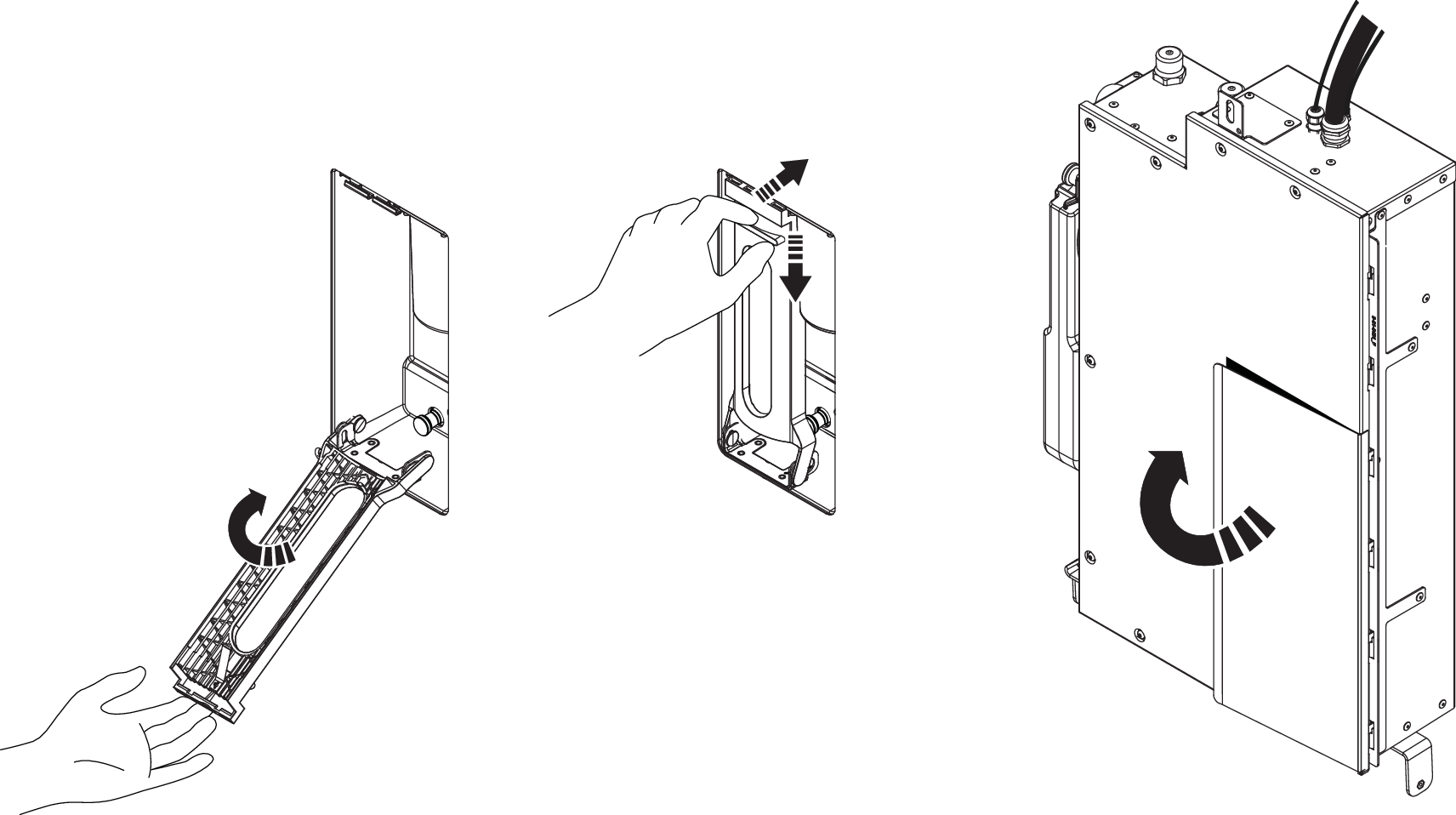
Close the door to the Wall Box.
Turn on the power. It takes about 1 minute for the Core to start up.
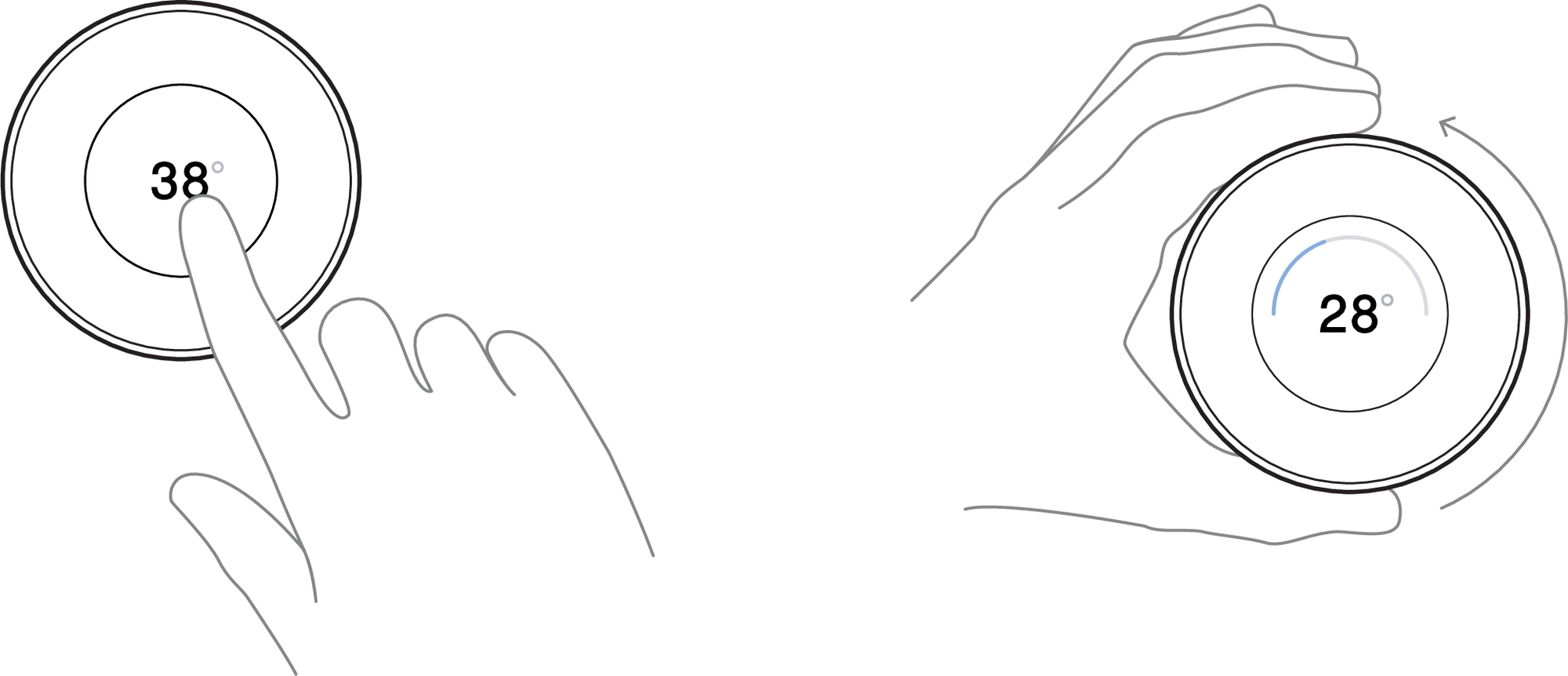
Start the shower and set the temperature to 28°C. The shower should start recycling (showing countdown on Control Dial) within 5 minutes without increased noise level.
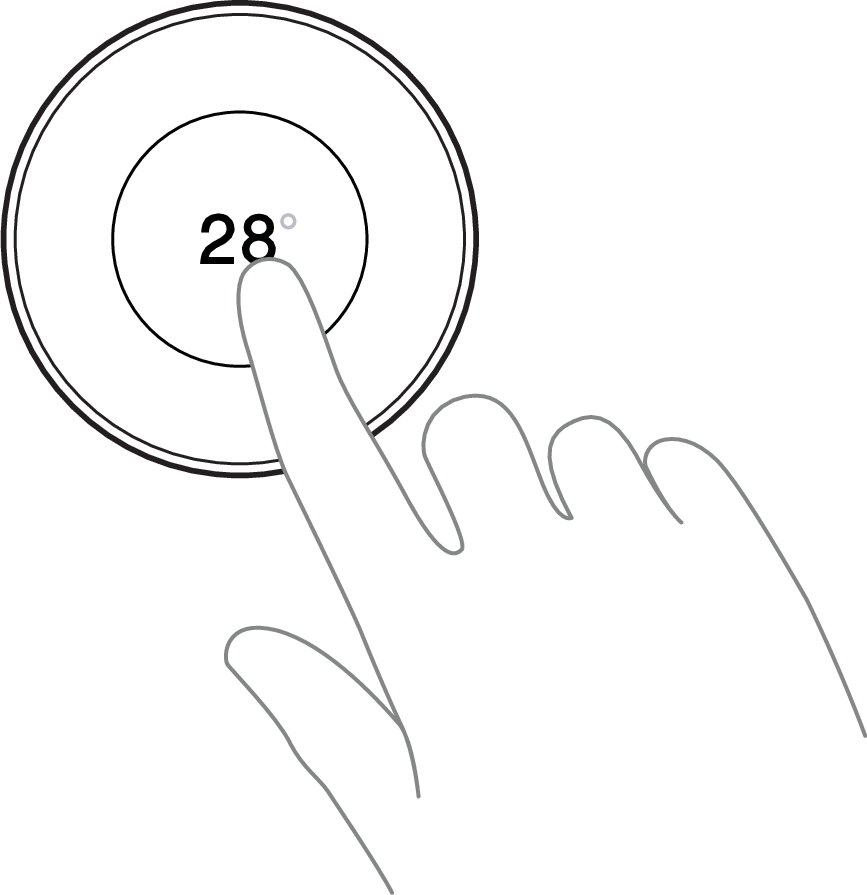
Turn off the shower.
Recycle the replaced components.
17b. Swap Filter & UV - Remote
This instruction shows how to swap the Filter and UV-kit in a remote installation (shower model Hatch, Cabinet or Basic). The Core is placed outside of the shower area. Follow the instructions in detail, and don't hesitate to reach out if you have any questions - support@orbital-systems.com.
Use the kit below to swap the Filter and UV-kit.
Filter Capsule |
UV lamp |
Quartz jacket kit |
Dismantle Filter & UV
Turn off the power.
For installations with Cabinet or Hatch: Open the hatch and remove the splash guards. Put them aside.
Open the filter door and release the filter holder.
Remove the old Filter Capsule
Unscrew the UV protection cover.
Turn the plug counterclockwise to release the UV lamp.
Disconnect the lamp and put it aside.
Turn the bayonet lock counterclockwise to release the quartz glass.
Install Filter & UV
Change the quartz glass and tighten the bayonet lock.
Caution
Make sure the o-ring is undamaged and in good condition.
Plug in the new UV lamp, turn the plug clockwise to lock.
Caution
Make sure that the lamp goes all the way into the socket.
Replace the UV protection cover.
Insert the new Filter Capsule.
Caution
Ensure that the Filter Capsule is correctly inserted to avoid leakage.
Close the filter holder and the filter hatch.
When installing Hatch or Cabinet: Put back the splash guards and close the door to the Wall Box.
Turn on the power. It takes about 1 minute for Core to start up.
Start the shower and set the temperature to 28°C. The shower should start recycling (showing countdown on Control Dial) within 5 minutes without increased noise level.
Turn off the shower.
Recycle the replaced components.