Pair your device with Orbital Audio
Orbital Audio is an optional add-on product, and the following instructions are valid if your shower is installed with Audio.
You will find the name and PIN of your Orbital Audio on the amplifier. The placement of the amplifier depends on your installation model. For Basic, the amplifier is mounted on the wall next to the Core. For Hatch, the amplifier is mounted in the top-left corner, inside the Wall Box. See Open the Wall Box doorfor instructions on opening it.
Check the name and PIN on the amplifier.
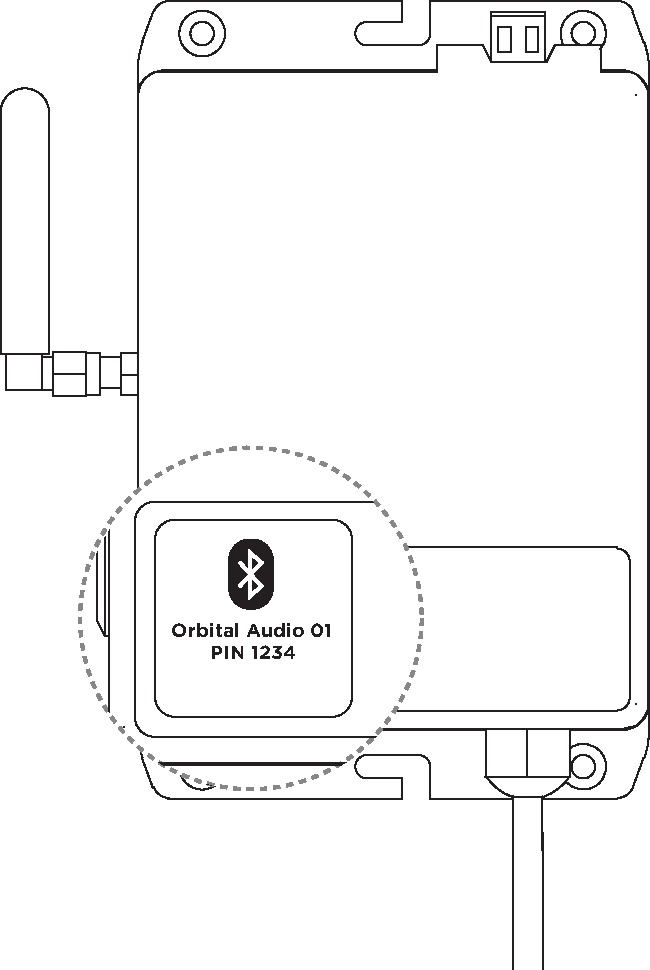
On your device, open the Bluetooth settings and select your Orbital Audio from the list.
Enter the PIN. Once your device is on the Orbital Audio's list of paired devices, the PIN is no longer required to reconnect.
Play music from your device.
Note
Depending on the Orbital Audio variant installed, the speaker can remember either up to eight paired devices (typically residential installations) or just one (typically hotel installations). If a new device is paired while the list is full, the least recently added device is removed from the list. In hospitality venues, keep the PIN available to your guests.